Description
Vinyl Sticker Cutting Singapore — cut-to-shape decals, lettering & logos
Cut vinyl is the real thing behind shopfront lettering, van graphics, wall quotes, laptop decals and window signage. We plot your artwork out of solid-colour adhesive vinyl and weed away everything that isn’t your design, so what you stick down is the shape itself — clean edges, no background, no white border.
Price updates live as you set your size, quantity and cutting method, so the figure you see is the figure you pay. It’s the final price — no GST is added.
What you get
- Genuine adhesive vinyl — durable, waterproof and rated for both indoor and outdoor use.
- Wide colour range — solid-colour vinyl in glossy and matt finishes; pick your colour when you order or note it in the remarks.
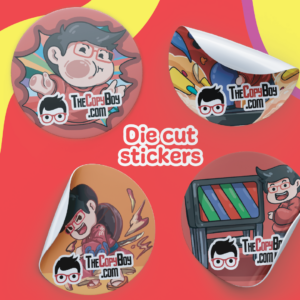
- Cut to shape — any outline you can draw as a vector, from single letters to detailed logos.
- Easy to apply — kiss-cut for peel-and-stick pieces, or peel-and-transfer for designs that need to stay aligned.
Kiss-cut or Peel & Transfer?
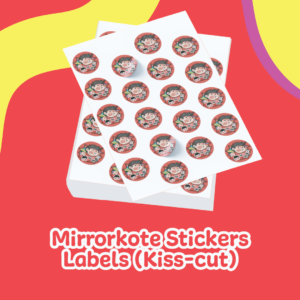
Kiss-cut only cuts through the vinyl but leaves the paper backing whole. You peel each piece off the backing yourself — ideal for simple shapes and one-piece decals.
Kiss-cut + Peel & Transfer adds a layer of application tape over the top. Lift the whole design — every letter and element in its correct position — off the backing at once, press it onto your surface, then remove the tape. This is what you want for lettering, multi-piece logos and anything that has to line up.
Applying your vinyl
- Clean and dry the surface — no dust, grease or moisture.
- If your design came weeded, peel it (with the transfer tape for Peel & Transfer jobs).
- Position it, then press down from the centre outwards with a card or squeegee to push out air.
- For Peel & Transfer, slowly pull the tape back at a low angle, leaving the vinyl on the surface.
Artwork
Cutting works off outlines, so we need vector artwork with cut lines — supply a vector PDF or a zipped .ai file. Flat images, photos and other rasterised files can’t be cut. Keep text and fine lines at a minimum height of 7 mm (25 mm for Peel & Transfer) so small elements survive weeding and application. Not sure your file is ready? Send it over and our team will check the cut line with you before we start.